Future Android Version To Be Called Ice Cream Sandwich


Most of us know that the Android operating system is developed under a code name based on a dessert item, in alphabetical order. For eg. Cupcake, Donut, Eclair, FroYo (Frozen Yogurt) and so on. Even the recently launched Android 2.3 OS for smartphones and Android 3.0 OS for tablets are named as Gingerbread and Honeycomb respectively. Earlier it was rumored that the next version of Android OS will be named as “Ice cream”, but these rumors were incorrect.
Google’s Andy Rubin recently said to Tech Crunch, that the next version of the Android operating system will be called as Ice cream Sandwich, instead of the previously rumored “”Ice cream”. We are still not sure what version number will be assigned to the Android Ice cream Sandwich. The next version of Android OS is rumored to sport a 2.4 version number.
According to the guys at Into Mobile, Ice Cream Sandwich could bring a heavy amount of Honeycomb features to phones. Google is expected to announce the next Android OS during the Google I/O conference in May.
What could be the codename of Android OS after the Ice Cream Sandwich? Let us know your views in the comments below.

Enable Aero Snap on Windows 8 with Windows 8 Snap Enabler


We have covered quite a number of articles on Windows 8 Developer Preview ranging from small tweaks to enable Windows 8 Classic Menu to mammoth size procedure ofinstalling Windows 8 on Vmware & adding & enabling safe boot option in Windows 8 & also couple of utilities like Start Menu Selector & Windows 8 Start Menu Toggle.
Now here is yet another small utility for Windows 8, Windows 8 Snap Enabler. The utility may not be of much use to those having desktops supporting higher resolutions but if you have small netboot on which you are testing Windows 8 Developer Preview then Windows 8 Snap Enabler is the tool for you.
As the name suggests this utility will enable snap feature on Windows 8 Developer Preview which disabled on small screens with low resolution. In case you want to revert back you have option to disable the feature.

Install Google Android on PC with Google Android LiveCD/LiveUSB


Google Android LiveCD Logo
We all are aware of Google Android OS Based mobile phones like G1-phone, HTC Hero etc.  Basically Google Android is Linux kernelbased Operating system for mobile phones but you might have heard Android powered Netbooks will be soon coming to market meaning Google Android can be installed on Netbooks then why not on normal PCs ?
Well now you can also install Google Android on your PC with LiveAndroid aLiveCD/LiveUSB for Google Android for x86 platforms. Google Android LiveCD is useful for those users who want to test Android OS but don’t want to purchase G1 Phone.
LiveAndroid is open source project lets you download a LiveCD disc image of the GoogleAndroid operating system. Just burn the image to a disc, stick it in a CD-ROM drive, and reboot your computer and you can check out Android without installing it or affecting any files on your PC.

Screenshots of Google Android LiveCD in Action

Google Android Live Cd

Spirit Jailbreak for iPad and iPhone Out Now!


Yes, I just got the tweet from comex and the rest of the Chronic Dev Team, the wait is over! Spirit userland Jailbreak is out now!  The servers are getting hit hard, so don’t worry if you cant get through right away, it even took me a few page refreshes,  Here is a run down of what the Spirit Jailbreak is….

Android 2.2 Froyo SDK Emulator for PC and Mac OS X


Android 2.2 Froyo Emulator for PC and Mac OS X
Like the iPhone OS and most other mobile operating systems, developers can typically access an emulator in order to test out apps on their computer before on an actual device. This is made possible via the SDK (Software Development Kit), which is also where devs access the tools and resources necessary to build apps. Unlike the iPhone OS SDK and Microsoft’s SDK, thankfully the Android SDK is available for both Windows and Mac.

Angry Birds Rio Now Available for devices running Symbian^3


Angry Birds Rio
The latest iteration of the Angry Birds game, Angry Birds Rio created quite a hype when it was available as a free download exclusively to the Amazon Appstore users. But Rovio, the company behind one of the most successful and cross-platform mobile games, is wise enough to make it popular on all the platforms simultaneously. The Angry Birds Rio is eventually making its way onto all the platforms. It is already available as a free download in the Android Market and has also landed for iOS and webOS devices. Starting today the game is also available for Symbian phones from the Nokia Ovi Store.
The features and storyline of the game is same as on other platforms. Angry Birds Rio features 60 new levels, hidden achievements, a boss game and much more. The storyline revolves around the original Angry Birds which are kidnapped and are taken to Rio de Janeiro. New and interesting additional characters in the game include two macaws- Blue and Jewel.
The sad part about the game being available on the Symbian platform is that Angry Birds Rio is available right now for Symbian devices running the latest Symbian^3 which includes Nokia N8, E7, C7 and C6-01. If you own any of these devices, you can grab your copy of Angry Birds Rio from here.

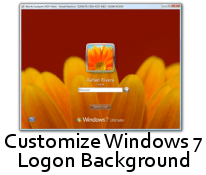
Download Logon Changer for Windows 7


One of interesting finding in Leaked Windows 7 Build 7057 is ability to change Windows 7 Logon background images without need of any third party tools. Now you can have custom logon background for yourWindows 7.

However the manual process of changing background wallpaper of windows 7 is not easy and requires you edit registry and place image files in system folder. Here is an small utility Logon Changer for Windows 7 developed by Steve Sinchak one of member of Winvistaclub.

Gadgets and Tech News © 2014. All Rights Reserved | Powered By Akillzhere | Windows Team

Designed by-SpeckyThemes